Problem with version 4.1.1.

Started by polutoy 6 years ago · 10 replies · 105428 views
6 years ago

Нello,

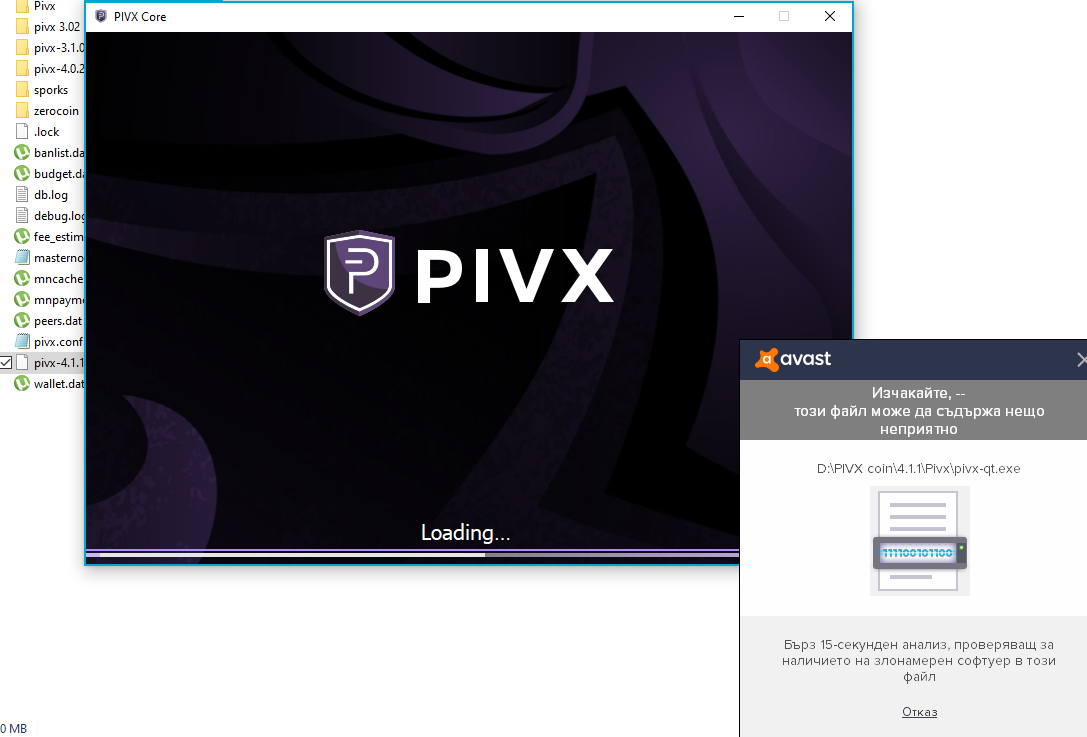
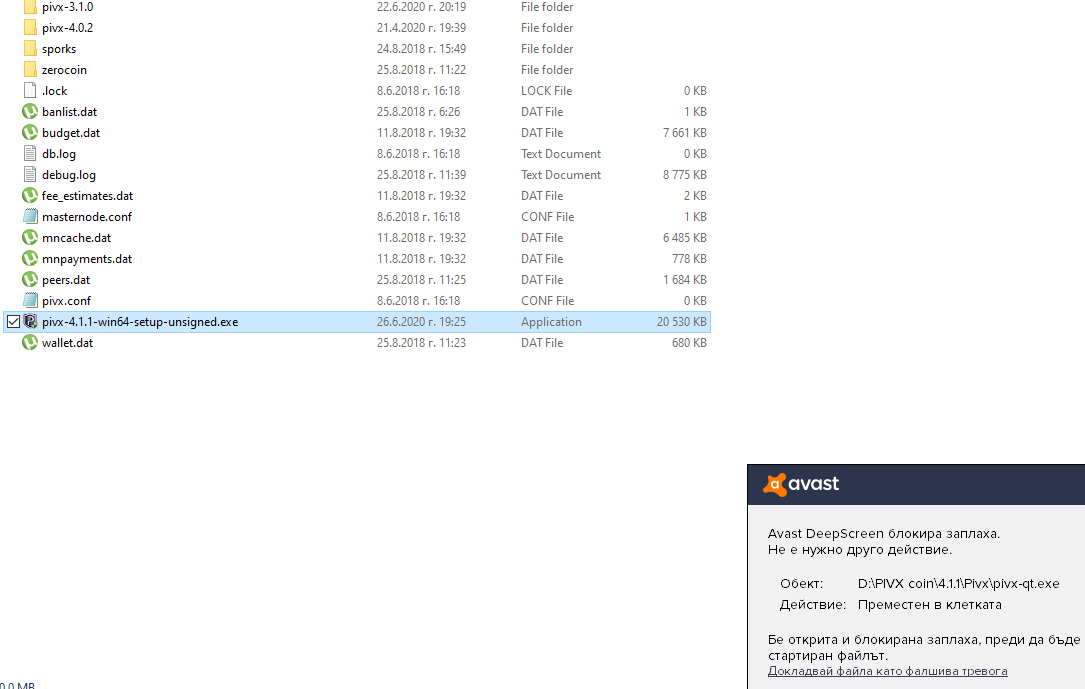
аз take version 4.1.1. , but when I try to open the file it says to me is has virus. To today I was with version 4.0.1. And I have no problem. But now I actually can not open it. Can you please say to me what is the problem and how can I fix it. I try with download from github, from your official site. Unsigned version, zip file, and notihing still says to me that it have virus.
6 years ago

Hi @polutoy
Please confirm that you did indeed go to https://pivx.org/wallet to download our wallet release

Some antiviruses mark crypto wallets as false positives due to the mining code inside the wallet program, Please also provide a screenshot.

6 years ago

This is screenshot of my antivirus program. Old version works with no problem , but this....

👍 1
6 years ago

@polutoy:
This is screenshot of my antivirus program. Old version works with no problem , but this....

Its likely a false positive, if you downloaded the pivx wallet file from https://pivx.org/wallet then you will have no issues.

You can verify by also uploading it to virustotal.com and you should see it as a false positive

6 years ago

I try to download it from here, I try and to download from git hub. From both places says the same. I have other wallets download from git hub and there is no problem... I have no problem with old version of wallet and it works great, but with this new... I can not turn off my antivirus...other advices?

6 years ago

@polutoy

Thank you for getting back to me, As you can see here is a virus scan taken for our pivx4.1.1 wallet from the link https://pivx.org/wallet
https://www.virustotal.com/gui/url/9203f5b6fbef86d354d64cb80f70381aac45d899728e990d72e4bcce729f3de5/detection

Please make sure you download the version here https://github.com/PIVX-Project/PIVX/releases
select :
pivx-4.1.1-win64-setup-unsigned.exe

That above is the installer and the preffered way to setup PIVX on your windows machine. If Avast blocks that you need to whitelist it.

❤️ 1
6 years ago

I try that what you tell me but the same here...it says that it has virus...

6 years ago

Why are you making shortcuts?
that is just the installation. Please whitelist it in your antivirus.

also there is no need to put the PIVX wallet program in that directory.

6 years ago

ok now i try not to do shortcut, try to take it in white list in my antivirus, all the same hare2.png1.png

❤️ 1
6 years ago

I made that you told me to take it in antivirus as s false , but it still can not open ... can i take the old version and does it will work correct if I do this, and I have 1 transaction of one exchange for 13 pivx, but i can not see it anywhere in wallet , but it exchange says confirm, is it can be possible because old version of wallet don;t works anymore and new version have virus>?

6 years ago

@polutoy:
I made that you told me to take it in antivirus as s false , but it still can not open ... can i take the old version and does it will work correct if I do this, and I have 1 transaction of one exchange for 13 pivx, but i can not see it anywhere in wallet , but it exchange says confirm, is it can be possible because old version of wallet don;t works anymore and new version have virus>?

You have to use version 4.1.1 as this is a mandatory update. You need to allow the program in your antivirus.

Suggested topics

Topic Participants Replies Views Activity
Solved · by m_omega79, 2 years ago
1 3653 2 years ago
Solved · by ugbugan, 5 years ago
4 9560 2 years ago
Solved · by Breno, 6 years ago
2 8598 5 years ago
Solved · by Qwuark, 7 years ago
4 13229 5 years ago
Solved · by wenfu, 6 years ago
1 7501 6 years ago